ChipTheory는 친절하게도 모든 룰 & 시나리오 자료를 공식 홈페이지에서 PDF 파일로 제공하고 있습니다.
Cloudspire
Game resources, downloads, tutorials, videos, and more.
chiptheorygames.com
이 PDF를 활용해서 Core & 확장 진영의 레퍼런스 시트는 편하게 번역을 진행했었습니다.
클라우드스파이어(CloudSpire) Core 진영 레퍼런스 시트 번역
클라우드스파이어(CloudSpire) Core 진영 레퍼런스 시트 번역 보라에 있는 자료로 게임을 해보니, 레퍼런스 시트에 진영 별 유닛 모양이 나오지 않고 키워드만 나와있고, 키워드들이 한글 번역
hobbyjjun.tistory.com
가끔씩 1:1, 2:2 정도만 게임을 진행하고 있었는데, 코옵과 솔로 시나리오들도 잘 만들었다고 해서 번역을 진행해봤습니다.
원래 번역하던 방식으로 한다면 노가다의 연속입니다 ㅎㅎ
- PDF파일에서 영어 원문만 페이지별로 긁어서 txt 파일을 만듬
- txt 파일의 원문을 문단 or 단락 단위로 GPT에 복붙해서 번역을 시킴
- 번역된 내용들을 모아서 번역본 txt 파일을 만듬
- 번역본을 기준으로 원문 PDF 파일을 수정함
원문을 PDF에서 긁어서 txt 파일을 만드는 것도 오래걸리지만,
GPT가 번역을 잘 할수 있도록 한번에 입력하는 번역량을 조절하는 것도 중요합니다.
파일을 통째로 업로드하면 번역을 잘 못할뿐더러,
페이지별로 번역해달라고 프롬프트를 써도 계속 엔터를 쳐서 넘어가줘야해서 페이지를 항상 들여다 보고 있어야 합니다 ㄷㄷ
그래서 이런 귀차니즘을 없애고자 파이썬을 활용한 번역 자동화 공장(?)을 차려보기로 합니다 ㅎㅎ
먼저 1번 Step인 PDF에서 영어 원문만 페이지별로 긁어서 txt 파일을 만드는 python 코드를 짜봅니다.
원문을 잘 긁어오긴 하지만, 모든 텍스트를 다 긁어오기 때문에 불필요한 내용들도 다 긁어오게 됩니다.
어쩔수 없이 이런 부분들은 사람이 보고 정리를 해줘야 합니다.
물론 이전에 손으로 한땀한땀 복붙하던것 보다는 훨씬 빠릅니다!!


파일을 쭉 보면서 페이지별로 번역이 필요한 부분만 남기고 나머지 불필요한 내용들은 날려줍니다.
이제 번역을 요청할 깔끔한 원문 txt 파일이 정제되었습니다!

2번째 step으로는 API를 사용해서 원문을 일정 Chunk 단위로 분할해서 번역하는 python 코드를 짜봅니다.
웹으로 사용하는 것과는 달리 API를 사용하는 방식이기 때문에 코드를 돌려 놓으면 제가 따로 확인할 필요가 없습니다 ㅎㅎ
다만 API는 사용 토큰만큼 비용을 지불하게 되어있어서 무료 사용량이 많은 Google Gemini를 GPT 대신 사용하기로 합니다.
Gemini 2.5 Pro는 API도 돈을 내야하지만, 2.5-flash 모델은 무료로 꽤 많이 사용가능합니다.
LLM은 프롬프트도 중요하기 때문에 아래와 같이 프롬프트를 작성해서 코드에 넣어줍니다.
"You are a professional translator specializing in board games. "
"Translate the provided Cloudspire board game text from English to Korean with the following strict rules:\n"
"1. Maintain Original Meaning: Translate as literally as possible.\n"
"2. Preserve Keywords and Proper Nouns.\n"
"3. Use Formal Korean Tone: Use 경어체 (~습니다/~합니다).\n"
코드를 돌려주면 자동으로 txt파일을 청크로 나눠서 번역을 진행하고, 번역 진행 현황도 로그로 찍어줍니다.

번역이 완료된 파일을 열어보면 페이지 별로 번역이 잘 되어있는걸 확인할 수 있습니다.
물론 LLM 1차 초벌 번역이고, 필요하다면 사람이 직접 보고 어색한 부분이나 고유 명사 같은 부분은 다듬는 작업이 필요합니다.
하지만 이정도 번역 상태 그대로 사용해도 큰 문제가 없을 정도로 퀄리티가 나쁘지는 않네요 ㅎㅎ
시간이 조금만 더 지나면 AI 번역이 사람의 번역 퀄리티를 따라올 수 있을날이 오지 않을까 싶네요.
다음에 기회가 되면 PDF가 아닌 이미지에서 txt를 추출하는 방식으로도 진행해볼 계획입니다.
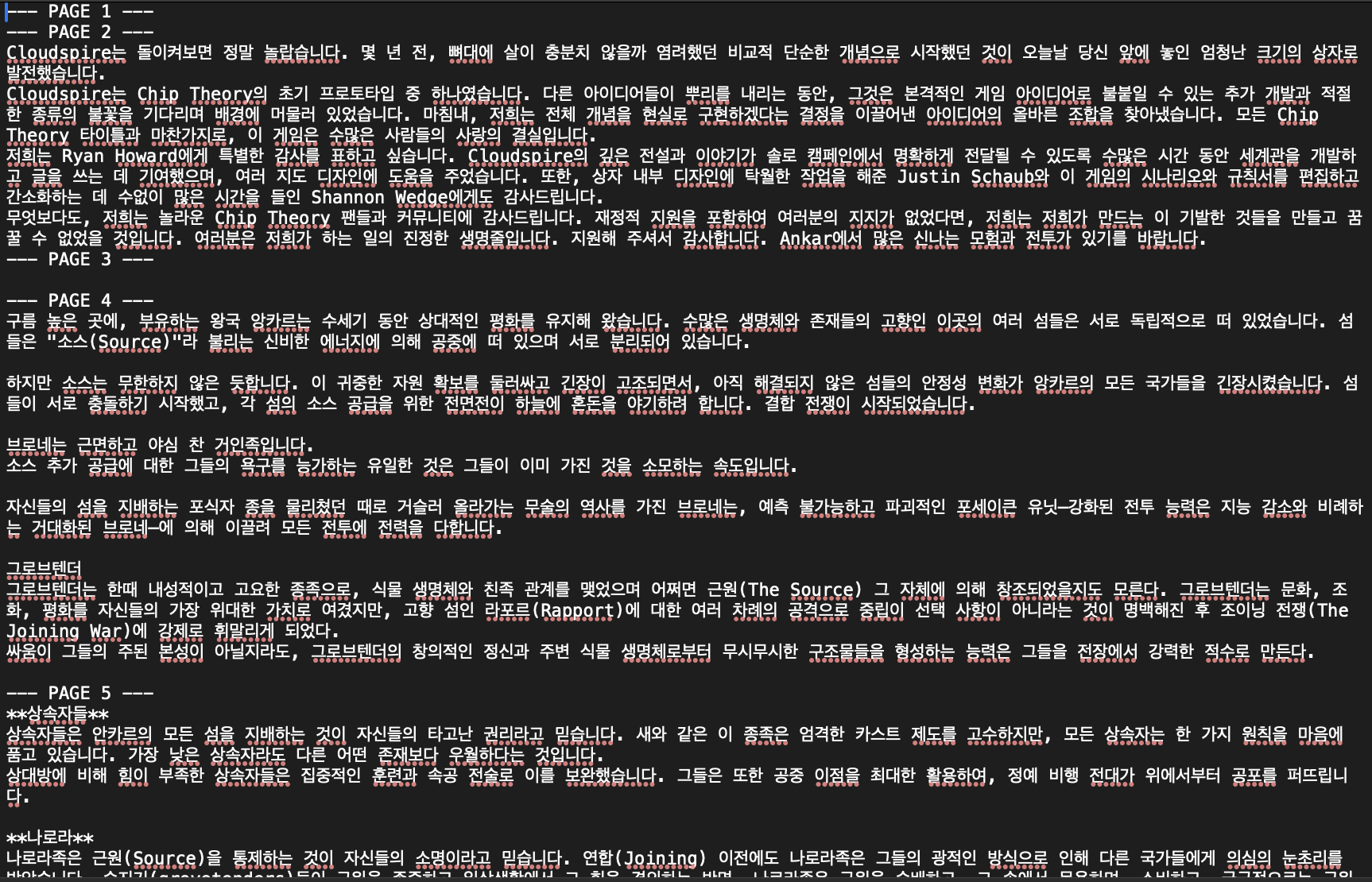
번역원문 txt 파일입니다.
클라우드 스파이어 룰북 & 코옵 & 솔로 시나리오 번역 원문
클라우드 스파이어 코옵 & 솔로 시나리오 번역기ChipTheory는 친절하게도 모든 룰 & 시나리오 자료를 공식 홈페이지에서 PDF 파일로 제공하고 있습니다. CloudspireGame resources, downloads, tutorials, videos, and
hobbyjjun.tistory.com
Python 코드는 참고하시면 됩니다. 물론 아래 Python 코드도 AI를 갈궈서(?) 받아낸 거긴 합니다.
- PDF의 txt를 추출하는 python 코드
#!/usr/bin/env python3
# pdf2txt.py - PyMuPDF 호환성 + 페이지별 구분 지원

# 전체를 하나의 파일로 저장하면서 페이지 구분 추가:
# python pdf2txt.py --marker
# 각 페이지를 개별 파일로 저장:
# python pdf2txt.py --per-page

# 한 파일로 .txt(기본) + .docx 생성:
# python pdf2txt.py --docx
# 페이지 마커 넣은 단일 .docx 파일:
# python pdf2txt.py --docx --marker
# 각 페이지를 별도 .docx로:
# python pdf2txt.py --docx --per-page
# 둘 다(.txt와 .docx) 만들고 싶으면 --docx만 추가하면 됩니다(.txt는 기본 켜짐). .txt만 원하면 --docx 생략.


#!/usr/bin/env python3
# pdf2txt.py - PyMuPDF + python-docx (XML 호환성 필터 포함)

from pathlib import Path
import argparse
import fitz  # PyMuPDF
from docx import Document
import re

# 제어문자(또는 NULL 등)를 제거하는 함수
# 허용: 탭, LF, CR ('\t', '\n', '\r')은 유지. 그 외 C0 제어문자 제거.
_control_chars_re = re.compile(r'[\x00-\x08\x0B\x0C\x0E-\x1F]')

def sanitize_text_for_docx(text: str) -> str:
    if not text:
        return ""
    # 1) 기본 제어문자 제거
    text = _control_chars_re.sub("", text)
    # 2) 일부 PDF에서 비정상적인 null-terminated 조각(예: '\x00' 등) 남아있을 수 있으므로 추가로 strip
    #    (필요하면 추가 치환 규칙을 여기에 둡니다)
    return text

def extract_text_from_page(page):
    for method_name in ("get_text", "getText"):
        method = getattr(page, method_name, None)
        if callable(method):
            try:
                return method("text")
            except TypeError:
                try:
                    return method()
                except Exception:
                    continue
    return ""

def save_as_txt(path: Path, text: str, encoding="utf-8"):
    path.parent.mkdir(parents=True, exist_ok=True)
    path.write_text(text, encoding=encoding)

def save_as_docx(path: Path, text: str, add_page_breaks: bool = False):
    path.parent.mkdir(parents=True, exist_ok=True)
    doc = Document()
    # sanitize 한 뒤 문단별로 추가
    safe_text = sanitize_text_for_docx(text)
    # 빈 텍스트일 경우 빈 문서 생성
    if not safe_text:
        doc.add_paragraph("")
        doc.save(path)
        return

    # 여러 줄을 개별 문단으로 추가
    for i, line in enumerate(safe_text.splitlines()):
        # 너무 긴 단일 라인이 있다면 적절히 분할하는 로직을 추가할 수 있음
        if line.strip() == "" and i == 0:
            # 파일 시작에 빈 줄만 있는 경우를 피하기 위해 계속
            doc.add_paragraph("")
        else:
            doc.add_paragraph(line)
    if add_page_breaks:
        # 페이지 구분자(마커) 대신 실제 page break를 넣고 싶을 때 사용
        # 여기선 이미 페이지별로 저장하는 경우에 사용
        doc.add_page_break()
    doc.save(path)

def process_pdf(pdf_path: Path, out_dir: Path, marker: bool, per_page: bool,
                write_txt: bool, write_docx: bool, encoding: str):
    docm = fitz.open(pdf_path)
    base = pdf_path.stem

    if per_page:
        for i, page in enumerate(docm, start=1):
            page_text = extract_text_from_page(page)
            if write_txt:
                out_txt = out_dir / f"{base}_page{str(i).zfill(3)}.txt"
                save_as_txt(out_txt, page_text, encoding=encoding)
            if write_docx:
                out_docx = out_dir / f"{base}_page{str(i).zfill(3)}.docx"
                # per-page: 한 파일에 한 페이지만 넣음 (문자 필터링 적용)
                save_as_docx(out_docx, page_text, add_page_breaks=False)
        return f"Saved {docm.page_count} pages to separate files."

    # 단일 파일 모드
    parts = []
    for i, page in enumerate(docm, start=1):
        if marker:
            parts.append(f"\n\n--- PAGE {i} ---\n\n")
        parts.append(extract_text_from_page(page))
    combined_text = "".join(parts)

    if write_txt:
        out_txt = out_dir / (base + ".txt")
        save_as_txt(out_txt, combined_text, encoding=encoding)
    if write_docx:
        out_docx = out_dir / (base + ".docx")
        # combined docx: 페이지 마커를 그대로 두거나, marker 옵션에 따라 page break를 넣는 로직을 추가 가능
        if marker:
            # 마커 문자열을 포함한 상태로 넣되, docx에 유효하지 않은 문자는 필터링
            save_as_docx(out_docx, combined_text, add_page_breaks=False)
        else:
            save_as_docx(out_docx, combined_text, add_page_breaks=False)

    return f"Saved combined ({docm.page_count} pages)."

def main():
    p = argparse.ArgumentParser(description="PDF -> TXT/DOCX (PyMuPDF + python-docx) - sanitize for XML")
    p.add_argument("--pdf-dir", type=str, default="pdfOrg", help="PDF 입력 폴더")
    p.add_argument("--out-dir", type=str, default="txtOut", help="출력 폴더")
    p.add_argument("--marker", action="store_true", help="단일 파일에 페이지 마커 추가")
    p.add_argument("--per-page", action="store_true", help="각 페이지를 별도 파일로 저장")
    p.add_argument("--txt", dest="txt", action="store_true", help="텍스트(.txt)로 출력")
    p.add_argument("--docx", dest="docx", action="store_true", help="문서(.docx)로 출력")
    p.add_argument("--encoding", type=str, default="utf-8", help="출력 파일 인코딩 (default: utf-8)")
    p.set_defaults(txt=True)
    args = p.parse_args()

    pdf_dir = Path(args.pdf_dir)
    out_dir = Path(args.out_dir)
    pdf_files = sorted(pdf_dir.glob("*.pdf"))
    if not pdf_files:
        print(f"[INFO] No PDF files found in: {pdf_dir.resolve()}")
        return

    for pdf_path in pdf_files:
        try:
            msg = process_pdf(
                pdf_path, out_dir, args.marker, args.per_page,
                write_txt=args.txt, write_docx=args.docx, encoding=args.encoding
            )
            print(f"[OK] {pdf_path.name} -> {msg}")
        except Exception as e:
            print(f"[ERROR] {pdf_path.name}: {e}")

if __name__ == "__main__":
    main()
- config 파일
{
  "GEMINI_API_KEY": "***********************",
  "MODEL": "gemini-2.5-flash",
  "CHUNK_CHAR_LIMIT": 3800,
  "INPUT_DIR": "txtOut",
  "OUT_DIR": "translated",
  "OUT_FORMAT": "txt"
}
- LLM(Gemini)를 사용해서 txt 원문을 한글로 번역하는 코드
#!/usr/bin/env python3
# translate_txts_gemini_config.py
# 사용법:
# 1) 프로젝트 루트에 config.json 생성(예시는 아래 참고)
# 2) python translate_txts.py --input-dir txtOut --out-dir translated --out-format txt

import os
import time
import argparse
import random
import json
from pathlib import Path
from typing import List
from docx import Document
from tqdm import tqdm

# Google GenAI SDK
from google import genai

# 기본값 (config.json에서 덮어쓸 수 있음)
DEFAULT_MODEL = "gemini-2.5-flash"
DEFAULT_CHUNK_CHAR_LIMIT = 3800
RETRY_MAX = 6

CONFIG_FILE = Path("config.json")

SAMPLE_CONFIG = {
    "GEMINI_API_KEY": "PASTE_YOUR_KEY_HERE",
    "MODEL": "gemini-2.5-flash",
    "CHUNK_CHAR_LIMIT": 3800,
    "INPUT_DIR": "txtOut",
    "OUT_DIR": "translated",
    "OUT_FORMAT": "txt"
}

def ensure_or_create_config():
    if not CONFIG_FILE.exists():
        # 샘플 파일 생성 후 종료
        CONFIG_FILE.write_text(json.dumps(SAMPLE_CONFIG, indent=2), encoding="utf-8")
        print(f"[INFO] config.json 샘플을 생성했습니다. 파일을 열어 GEMINI_API_KEY 값을 채운 뒤 다시 실행하세요.\n경로: {CONFIG_FILE.resolve()}")
        raise SystemExit(0)
    # 읽기
    try:
        with CONFIG_FILE.open("r", encoding="utf-8") as f:
            cfg = json.load(f)
            return cfg
    except Exception as e:
        print(f"[ERROR] config.json을 읽는 중 오류: {e}")
        raise

def chunk_text_preserve_paragraphs(text: str, max_chars: int) -> List[str]:
    if not text:
        return []
    paragraphs = text.splitlines()
    chunks = []
    current = []
    def flush():
        if current:
            chunks.append("\n".join(current).strip())
            current.clear()
    for para in paragraphs:
        line = para.rstrip("\n")
        if not line and current:
            flush()
            continue
        cur_len = sum(len(x) + 1 for x in current)
        if cur_len + len(line) <= max_chars:
            current.append(line)
        else:
            if not current:
                start = 0
                while start < len(line):
                    part = line[start:start + max_chars]
                    chunks.append(part.strip())
                    start += max_chars
            else:
                flush()
                if len(line) <= max_chars:
                    current.append(line)
                else:
                    start = 0
                    while start < len(line):
                        part = line[start:start + max_chars]
                        chunks.append(part.strip())
                        start += max_chars
    flush()
    return [c for c in chunks if c and c.strip()]

def save_as_docx(path: Path, text: str):
    path.parent.mkdir(parents=True, exist_ok=True)
    doc = Document()
    for line in text.splitlines():
        doc.add_paragraph(line)
    doc.save(path)

def call_gemini_translate(client, model: str, prompt_text: str) -> str:
    system_instruction = (
        "You are a professional translator. Translate CloudSpire Board Game Texts. Translate the following text to Korean exactly, "
        "preserving paragraph breaks, code blocks and numeric formats. Do not add explanations."
    )
    contents = system_instruction + "\n\n" + prompt_text
    attempt = 0
    while True:
        try:
            # generate_content 사용: Quickstart/SDK 버전에 따라 호출 형식이 다를 수 있음.
            resp = client.models.generate_content(model=model, contents=contents)
            text_out = getattr(resp, "text", None)
            if not text_out:
                # SDK 구조에 따라 후보(choices/candidates)에 접근
                try:
                    text_out = resp.candidates[0].content.parts[0].text
                except Exception:
                    text_out = ""
            return (text_out or "").strip()
        except Exception as e:
            attempt += 1
            if attempt >= RETRY_MAX:
                raise
            wait = (1.5 ** attempt) + random.random()
            print(f"[WARN] Gemini 호출 실패({attempt}): {e}. {wait:.1f}s 후 재시도")
            time.sleep(wait)

def translate_file_with_gemini(in_path: Path, out_dir: Path, client, model: str, out_format: str, chunk_limit: int):
    print(f"[INFO] 처리: {in_path.name}")
    text = in_path.read_text(encoding="utf-8", errors="replace")
    chunks = chunk_text_preserve_paragraphs(text, chunk_limit)
    print(f"[INFO] 청크 수: {len(chunks)} / 한 청크당 최대 {chunk_limit} chars")
    translated_parts = []
    for ch in tqdm(chunks, desc=f"Translating {in_path.name}", unit="chunk"):
        translated = call_gemini_translate(client, model, ch)
        translated_parts.append(translated)
    final_text = "\n\n".join(translated_parts).strip()
    base = in_path.stem
    out_dir.mkdir(parents=True, exist_ok=True)
    if out_format == "txt":
        out_path = out_dir / f"{base}_ko.txt"
        out_path.write_text(final_text, encoding="utf-8")
    else:
        out_path = out_dir / f"{base}_ko.docx"
        save_as_docx(out_path, final_text)
    print(f"[OK] 저장: {out_path} (chars: {len(final_text)})")
    return out_path

def main():
    # 먼저 config 확인/로딩
    cfg = ensure_or_create_config()
    api_key = cfg.get("GEMINI_API_KEY") or os.getenv("GEMINI_API_KEY")
    model = cfg.get("MODEL", DEFAULT_MODEL)
    chunk_limit = int(cfg.get("CHUNK_CHAR_LIMIT", DEFAULT_CHUNK_CHAR_LIMIT))
    default_input = cfg.get("INPUT_DIR", "txtOut")
    default_out = cfg.get("OUT_DIR", "translated")
    default_format = cfg.get("OUT_FORMAT", "txt")

    p = argparse.ArgumentParser()
    p.add_argument("--input-dir", default=default_input)
    p.add_argument("--out-dir", default=default_out)
    p.add_argument("--model", default=model)
    p.add_argument("--out-format", choices=["txt","docx"], default=default_format)
    p.add_argument("--pattern", default="*.txt")
    args = p.parse_args()

    if not api_key:
        print("[ERROR] config.json에 GEMINI_API_KEY가 비어있습니다. 파일을 열어 키 값을 설정하세요.")
        raise SystemExit(1)

    # 환경변수로 설정하면 genai.Client()가 자동으로 인식(또는 ADC 사용)
    os.environ["GEMINI_API_KEY"] = api_key

    # 클라이언트 초기화
    client = genai.Client()

    in_dir = Path(args.input_dir)
    out_dir = Path(args.out_dir)
    files = sorted(in_dir.glob(args.pattern))
    if not files:
        print(f"[INFO] 입력 파일 없음: {in_dir.resolve()} / pattern={args.pattern}")
        return

    for f in files:
        try:
            translate_file_with_gemini(f, out_dir, client, args.model, args.out_format, chunk_limit)
        except Exception as e:
            print(f"[ERROR] {f.name} 처리 실패: {e}")

if __name__ == "__main__":
    main()
'[보드게임] > [정보]' 카테고리의 다른 글
| 드래곤 이클립스(Dragon Eclipse)는 어떤 게임일까? - 1편 스토리 파트 (0) | 2025.12.13 |
|---|---|
| 좌충우돌 드래곤 이클립스 스토리 번역기 (6) | 2025.12.05 |
| 정령섬 펀딩 풀확장 오거나이저 정리기 (1) | 2025.11.07 |
| 스타크래프트 미니어처 게임 제라툴 프로모 모델 구매기 (0) | 2025.10.24 |
| 보드게임 킥스타터 배송 대행을 해보자! - 라 파라오 에디션 수령기 (0) | 2025.10.22 |